Entered an Incorrect Password?
If a user were to repeatedly enter their account details incorrectly then the user account can become locked. The lock placed on the account will last for 10 minutes, after which time the account will then automatically unlock.
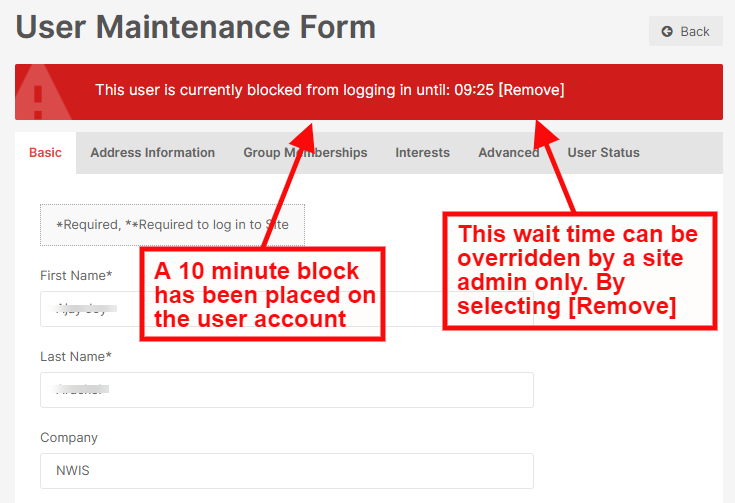
A Local Admin user can force an account to unlock sooner than this by entering the specific users' account on the back end of the site. When locked, a Red Banner will appear across the top of the users' account stating the time that the account will become unlocked.
To override this, a site admin would need to select the text [Remove]. The account will then unlock. The user would then need to refresh their browser and they will then be able to sign in with their correct account details.