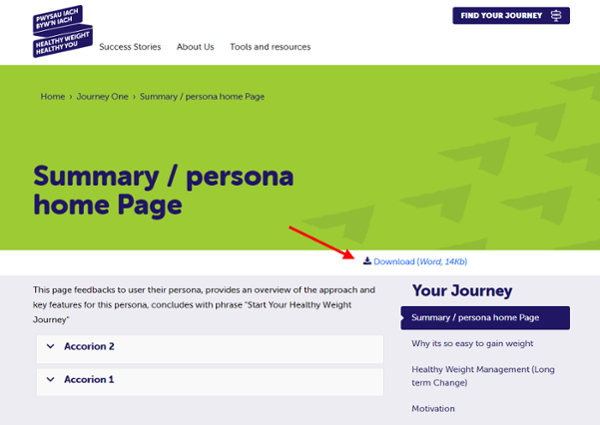
Adding a Download Link
Upload the Document
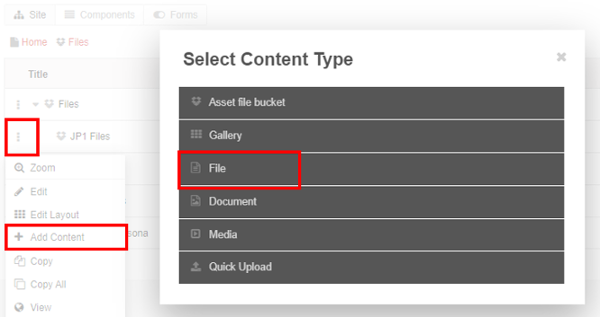
- Go to your Document storage area
- Select the 3dots
- Add Content > File
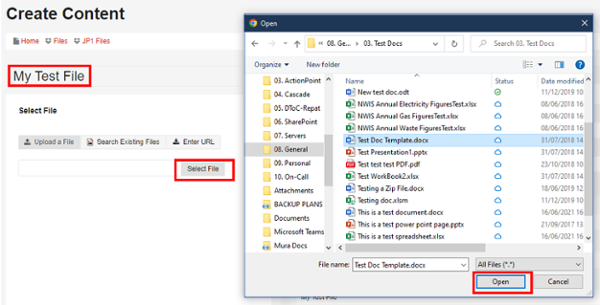
- Name your File
- Select Select File
- Select the File from your local machine > Open
- Publish to Save
Attach the Document to the Journey
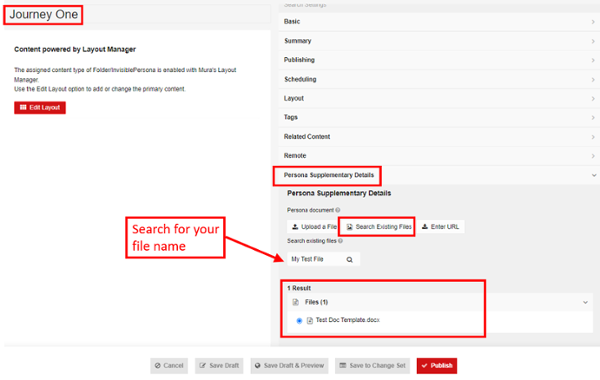
- Go to the Journey you wish to add the download to
- Under the Persona Supplementary Details
- Select Search Existing Files
- Search for your File by name
- Select the Radio button for the correct result and Publish
The document will now appear on the Journey page for your users to download