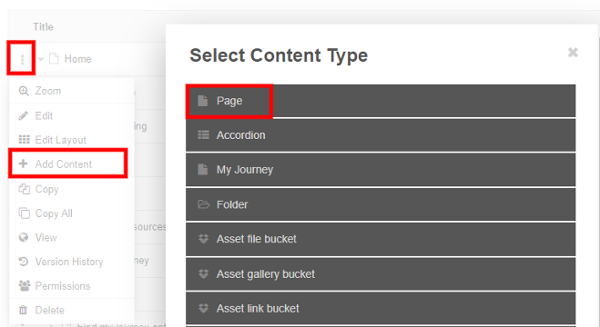
Create your Page
Create the Page that your Single Content 5 will link to
- Select the 3dots and Add Content
- Select Page and Name your Page
- Add and Content - The first few lines of content within the body will display on the content block
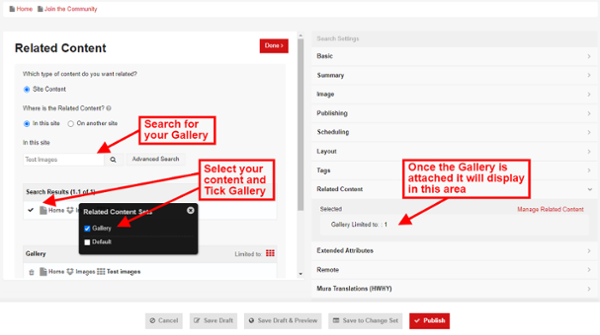
Add Related Content
- Select the Related Content Tab and click Manage Related Content (once the gallery is attached it will display in this area)
- Search for your Gallery, select your Content, Tick your Gallery and Publish